> For the complete documentation index, see [llms.txt](https://navixy.com/docs/llms.txt). Markdown versions of documentation pages are available by appending `.md` to page URLs; this page is available as [Markdown](https://navixy.com/docs/user/guide/account/users-and-roles/user-administration.md).
# User administration
Add and manage sub-accounts in Navixy. The Owner has full control; Users receive specific roles that define their access to tracking data and features.
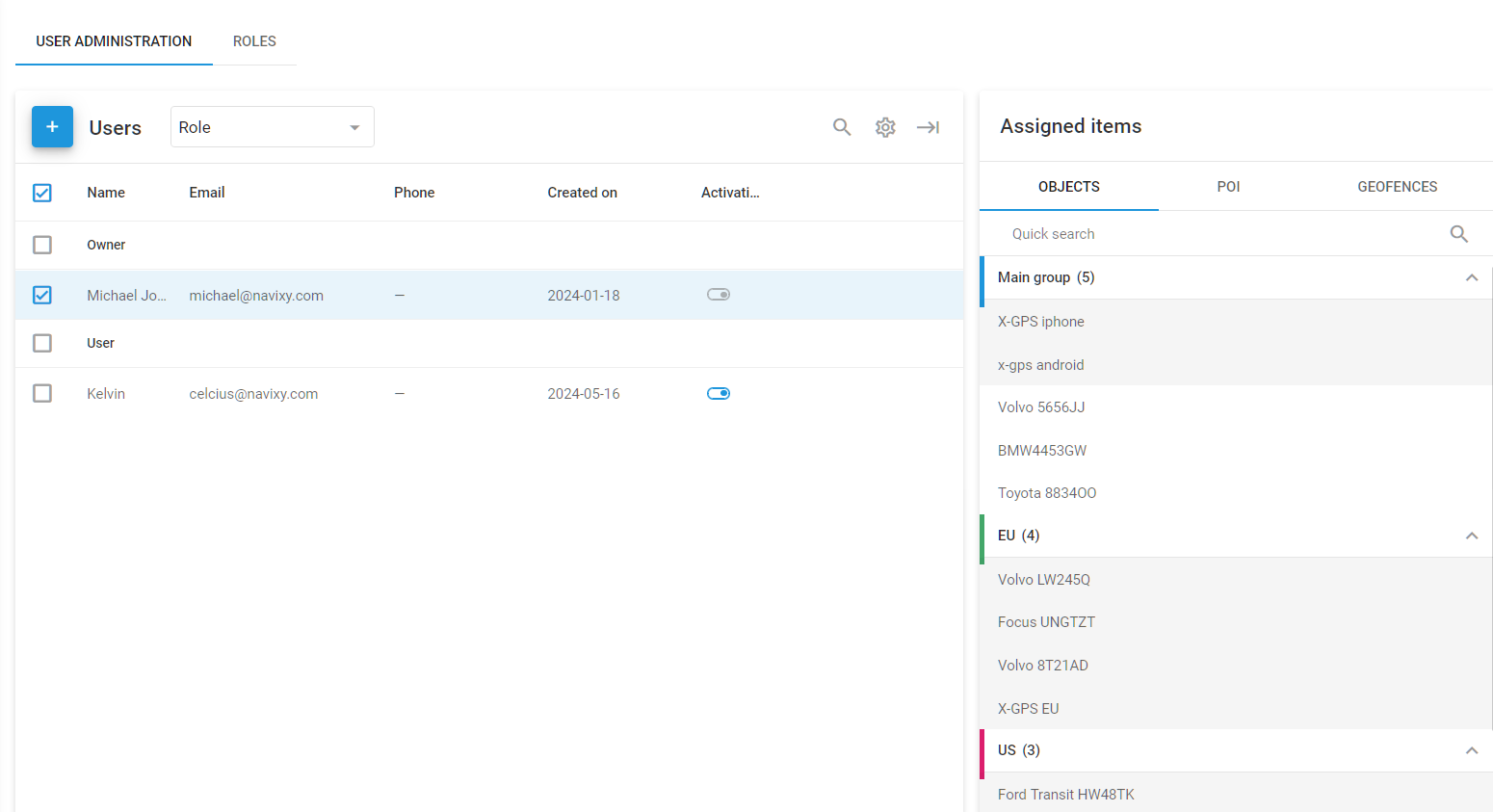
The users of the organization’s account include the **owner** and the **users**. The owner is the main account holder with full control and administrative rights, while users are additional accounts with specific roles and permissions assigned by the owner.
User administration
## Owner and users
The owner in Navixy is the main account holder with full access and control over the Navixy platform. This account has the highest level of permissions and can perform all administrative tasks. The owner has exclusive rights that cannot be transferred to other accounts, ensuring they maintain ultimate control over the account.
The owner can limit the operations available to users by:
* [Defining user roles](/docs/user/guide/account/users-and-roles/role-management.md), specifying what actions users can perform
* [Limiting user access to information](/docs/user/guide/account/users-and-roles/restricting-access.md), controlling which GPS devices and data users can access
Users are additional accounts granted access by the owner. As a subordinate account, a user can't have specific owner rights, including:
* Creating, editing, or removing other users
* Editing GPS devices, geofences, or Places that aren't accessible to them
* Limiting the owner’s access to their account
### **Viewing and editing the user list**
To add a new user or edit the list of users, navigate to **Account Settings** → **Users** **and Roles** in the main menu.
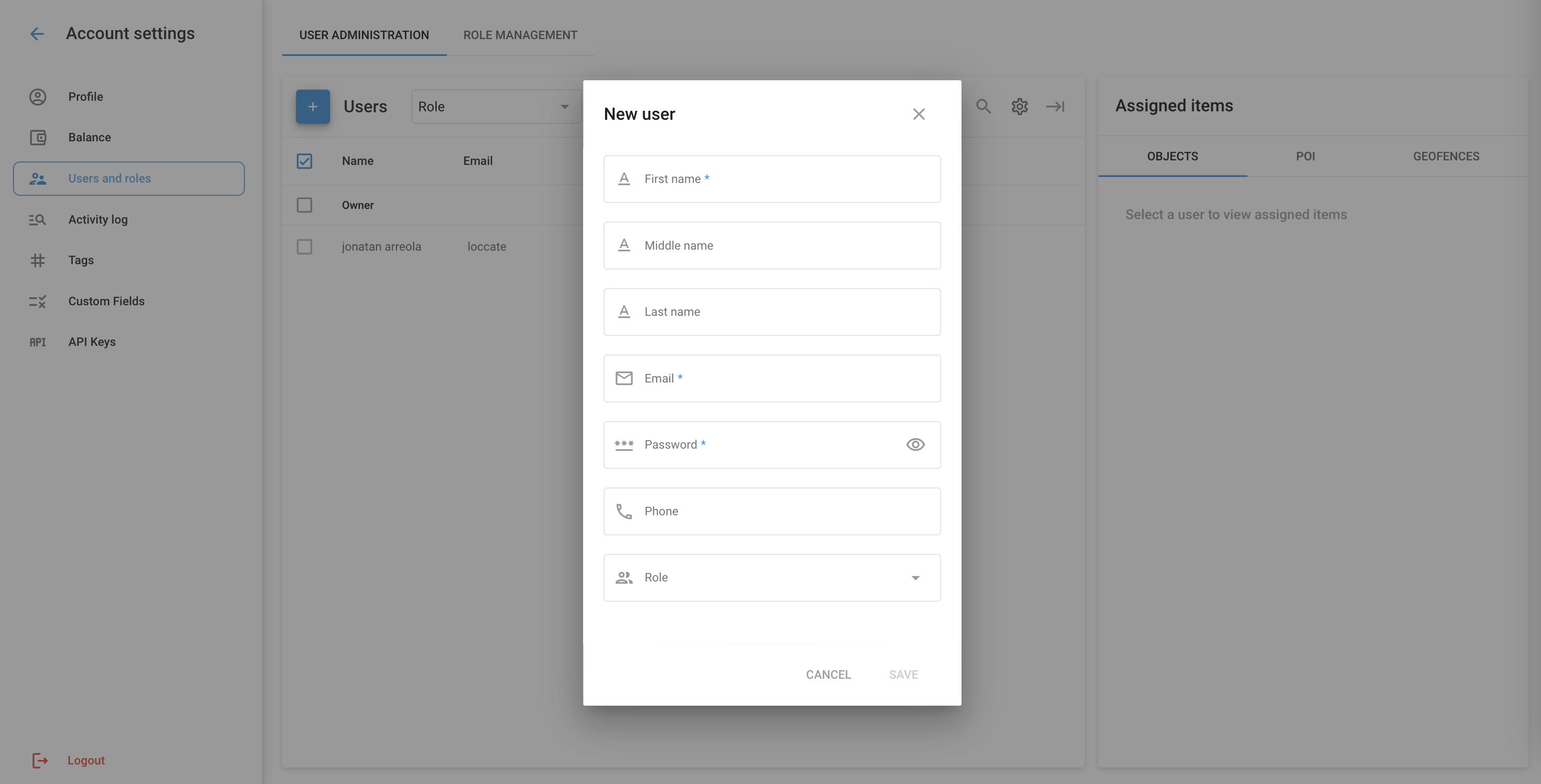
User creation dialogue
1. **To add a new user**:
* Click the **+** button to add a new user.
* Fill in the required fields:
* **First name**
* **Middle name**
* **Last name**
* **Email**
* **Password**
* **Phone**
* [Role](/docs/user/guide/account/users-and-roles/role-management.md)
* Click **Save** to create the new user.
2. **To edit user information**:
* Select a user from the list to view their details.
* Modify the necessary fields and update the user’s information.
* Click **Save** to apply the changes.
3. **To assign items to users**:
* After selecting a user, you can [assign specific objects, POIs, and geofences](/docs/user/guide/account/users-and-roles/restricting-access.md) to them.
* Choose the items from the respective tabs (**Objects**, **POI**, **Geofences**) and assign them to the user.
---
# Agent Instructions
This documentation is published with GitBook. GitBook is the documentation platform designed so that both humans and AI agents can read, navigate, and reason over technical content effectively. Learn more at gitbook.com.
## Querying This Documentation
If you need additional information that is not directly available in this page, you can query the documentation dynamically by asking a question.
Perform an HTTP GET request on the current page URL with the `ask` query parameter, and the optional `goal` query parameter:
```
GET https://navixy.com/docs/user/guide/account/users-and-roles/user-administration.md?ask=&goal=
```
`ask` is the immediate question: it should be specific, self-contained, and written in natural language.
`goal` is optional and describes the broader end goal you are ultimately trying to accomplish on behalf of the user. GitBook uses it to tailor the answer towards what is most useful for that goal.
The response will contain a direct answer to the question and relevant excerpts and sources from the documentation.
Use this mechanism when the answer is not explicitly present in the current page, you need clarification or additional context, or you want to retrieve related documentation sections.