Data Source
Universal Connector
The entry point for every flow. Captures telemetry from any GPS tracker, IoT sensor, or OEM stream, normalizing data into a standard format.
 IoT Logic
No-code fleet automation and real-time data transformation
Turn raw IoT data into automated fleet actions — safety alerts, compliance rules, and real-time integrations — without development overhead.
Protect the cold chain
Example flow: convert temperature readings and trigger an alert.
39.2°F
4.0°C
Every reading
No
Not triggered
Saved in Navixy. No notification needed.
Example data and webhook payload. Only readings above 8°C trigger the webhook.
{
  "temp_f": 39.2
}{
"temp_f": 39.2,
"temp_c": 4.000000000000002
}{
"event": "temperature_exceeded",
"temperature_c": 4.000000000000002,
"limit_c": 8
}Connect your devices and replace the example webhook URL before use.
{
  "flow": {
    "title": "Cold-chain temperature",
    "enabled": true,
    "nodes": [
      {
        "id": 1,
        "type": "data_source",
        "data": {
          "title": "Temperature sensor",
          "source_ids": []
        }
      },
      {
        "id": 2,
        "type": "initiate_attributes",
        "data": {
          "title": "Convert to Celsius",
          "items": [
            {
              "name": "temp_c",
              "value": "(temp_f - 32) * 5 / 9"
            }
          ]
        }
      },
      {
        "id": 3,
        "type": "output_endpoint",
        "data": {
          "title": "Save in Navixy",
          "output_endpoint_type": "output_default"
        }
      },
      {
        "id": 4,
        "type": "logic",
        "data": {
          "title": "Above 8°C?",
          "name": "temperature_check",
          "condition": "temp_c > 8"
        }
      },
      {
        "id": 5,
        "type": "webhook",
        "data": {
          "title": "Notify operations",
          "url": "https://example.com/temperature-alert",
          "headers": [
            {
              "key": "Content-Type",
              "value": "application/json"
            }
          ],
          "body": "{\"event\":\"temperature_exceeded\",\"temperature_c\":$\"temp_c\",\"limit_c\":8}"
        }
      }
    ],
    "edges": [
      {
        "from": 1,
        "to": 2
      },
      {
        "from": 2,
        "to": 3
      },
      {
        "from": 2,
        "to": 4
      },
      {
        "from": 4,
        "to": 5,
        "type": "then_edge"
      }
    ]
  }
}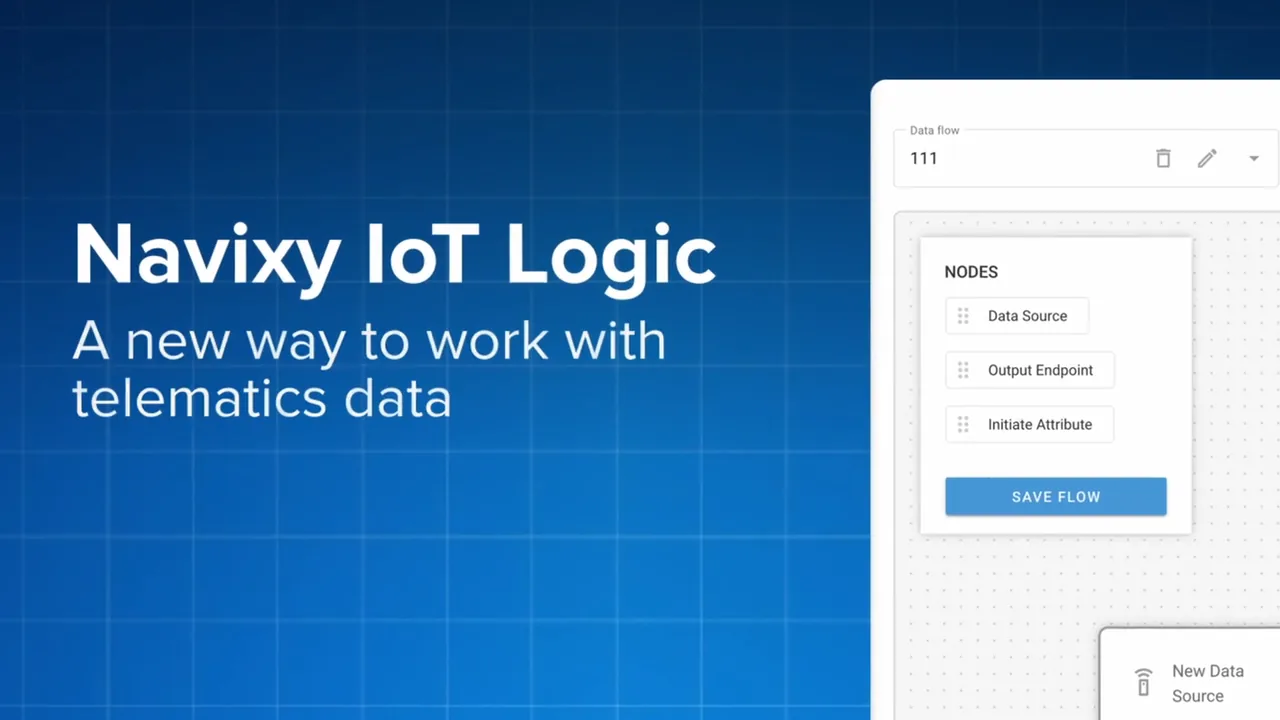
IoT Logic is a no-code/low-code tool that simplifies telematics data management by combining a visual flow system with a JEXL-based expression language. It enables businesses to transform raw data from GPS trackers, dash cams, and IoT sensors into actionable insights through custom data pipelines, automated workflows, and advanced analyses, all without coding expertise, helping reduce costs and improve decision-making. For fleet operators, this means automating safety alerts, maintenance triggers, geofence actions, and compliance workflows — turning IoT Logic into a fleet automation engine that runs 24/7.
IoT Logic DocsConstruct powerful logic flows using these six core components. Drag, drop, and connect to transform raw telemetry into business value.
Universal Connector
The entry point for every flow. Captures telemetry from any GPS tracker, IoT sensor, or OEM stream, normalizing data into a standard format.
Data Transformation
Calculates new values using JEXL expressions. Convert units, derive metrics, and enrich raw telemetry with computed insights.
The Brain
Intelligent branching that evaluates real-time conditions. Routes data to THEN or ELSE paths based on your business rules.
Device Control
Turns data into physical action. Sends remote commands back to devices to immobilize vehicles, unlock doors, or trigger alarms.
External Trigger
Instant integration with third-party systems. Sends real-time HTTP POST requests to Slack, CRMs, ERPs, or custom APIs.
Data Streaming
Streams processed data continuously to MQTT brokers (AWS, Azure), data lakes, or the Navixy platform database.
Integrates With Your Stack
IoT Logic connects equipment data with everyday operations. Receive telemetry, apply your rules and send the result where it is needed: a cloud platform, a fleet system or a notification service.
Send enriched device readings to your cloud environment. Filter and transform telemetry before passing it to storage, analytics or downstream services.
Choose a supported output endpoint for the destination, or connect through a webhook and an adapter for the target service.
These are examples of integration targets and environments. The connection method depends on the receiving API, supported protocol and any required connector or adapter.
Bring device events into the systems your fleet team already uses. Apply consistent rules before sharing readings with tracking, dispatch or maintenance workflows.
Use mapped device attributes as flow inputs. Pass the processed result to Navixy or another system through its configured integration interface.
These are examples of integration targets and environments. The connection method depends on the receiving API, supported protocol and any required connector or adapter.
Turn a stream of readings into useful events for other applications. For example, filter a threshold breach and send a webhook to start a downstream workflow.
Webhooks deliver selected events to HTTP endpoints. Streaming destinations and message formats depend on the configured output and any required adapter.
These are examples of integration targets and environments. The connection method depends on the receiving API, supported protocol and any required connector or adapter.
Prepare the signals that support safety checks and operational reporting. Evaluate device readings against your rules and pass relevant events to the system that manages the response.
Use flow rules to identify relevant events, then deliver them to a reporting or safety system through its supported interface. Regulatory reporting and certification depend on the receiving system and its requirements.
These are examples of integration targets and environments. The connection method depends on the receiving API, supported protocol and any required connector or adapter.
Make equipment activity useful beyond the tracking screen. Send an event to a service workflow or provide processed readings for business reporting.
Connect to a receiving API through a configured webhook, or use an output endpoint and adapter suited to the target data platform.
These are examples of integration targets and environments. The connection method depends on the receiving API, supported protocol and any required connector or adapter.
Tell the right people when a device event needs attention. If a temperature limit is exceeded, send the event to a messaging service that notifies an operator or driver.
IoT Logic passes the event to a messaging service or automation endpoint. That service handles the recipient, channel and message delivery.
These are examples of integration targets and environments. The connection method depends on the receiving API, supported protocol and any required connector or adapter.
From safety alerts to cold chain compliance — fleet automation made simple.
to simplify data integration and scale operations without extensive development or maintenance.
to manage data from multiple sources, enabling smooth platform integration without decoding protocols.
to accelerate development by using a universal, decoded data stream and focusing on value-added features.
to expand market reach by ensuring compatibility with multiple platforms, simplifying device integration.
to automate safety monitoring, compliance reporting, and maintenance alerts without waiting on development teams.
Simplify IoT device integration and data exchange. Connect any GPS tracker, standardize raw data, and save time on configurations necessary for integration.
Slash installation time and eliminate costly return visits. Verify CAN bus data, sensor readings, and multi-device setups in real time before leaving the site.
Write spreadsheet-style formulas to process live telematics streams. Calculate metrics, decode custom protocols, and build business rules without backend development.
Please fill out the form below and select convenient date and time to schedule a call with our sales representative.