
Updated Navixy Console for telematics channel partners

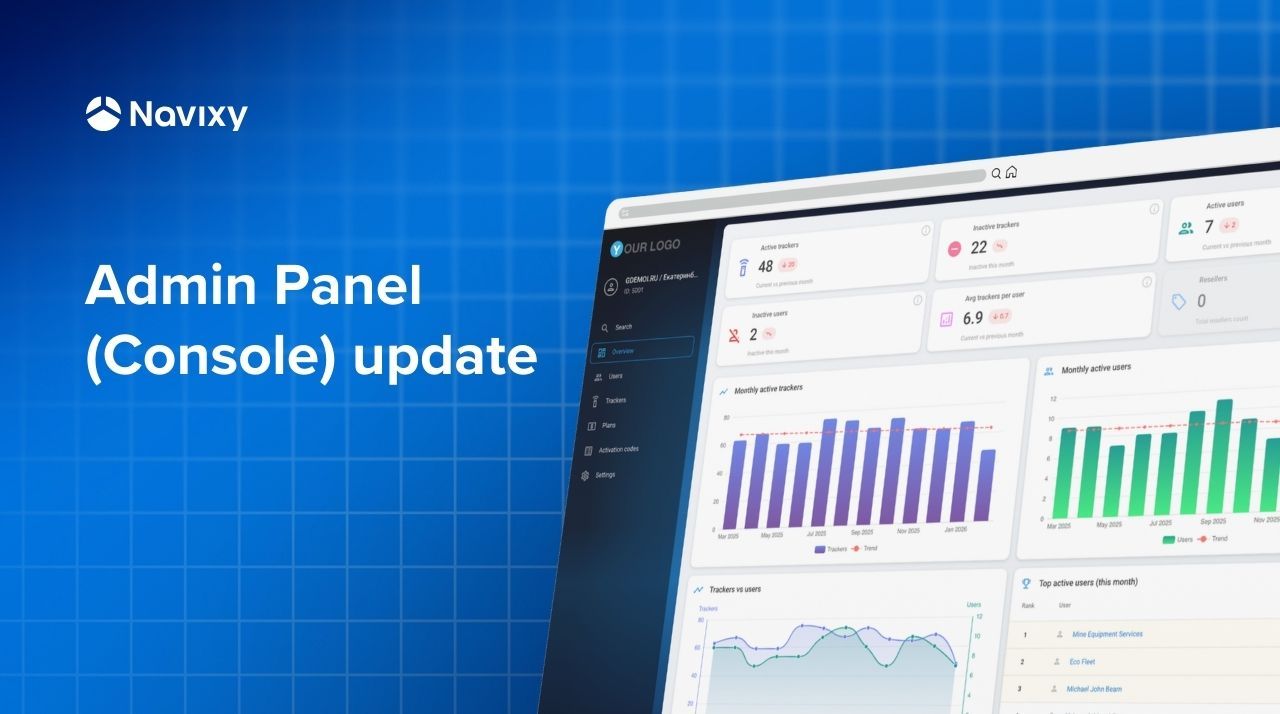
Navixy Console (also known as Admin Panel) is the most frequently used part of the Navixy telematics platform for platform administrators, technical teams, and integrators. It is the very first touchpoint telematics teams interact with when starting their work with Navixy.
This is where most daily operational activities take place – from initial platform setup (GIS services, custom domains, branding, menu configuration), GPS hardware registration and troubleshooting, to customer and device management, functioning as a CRM for telematics businesses. In addition, Navixy Console provides a high-level overview of the overall service health for telematics service providers and integrators.
It has been a while since we last refreshed the Navixy Console. Now, we are introducing a refined version with an updated UI and improved UX, built on a modern frontend framework and visually aligned with the rest of the Navixy platform.
This update lays the foundation for faster development, better usability, and future functional expansion. Let’s take a closer look at what has changed.
Telematics service overview (dashboard)
Telematics service providers and integrators now have access to a centralized dashboard that delivers quick insights into key platform metrics. The dashboard combines both current and historical data, enabling business and operational teams to assess the current state of the service and identify trends over time.
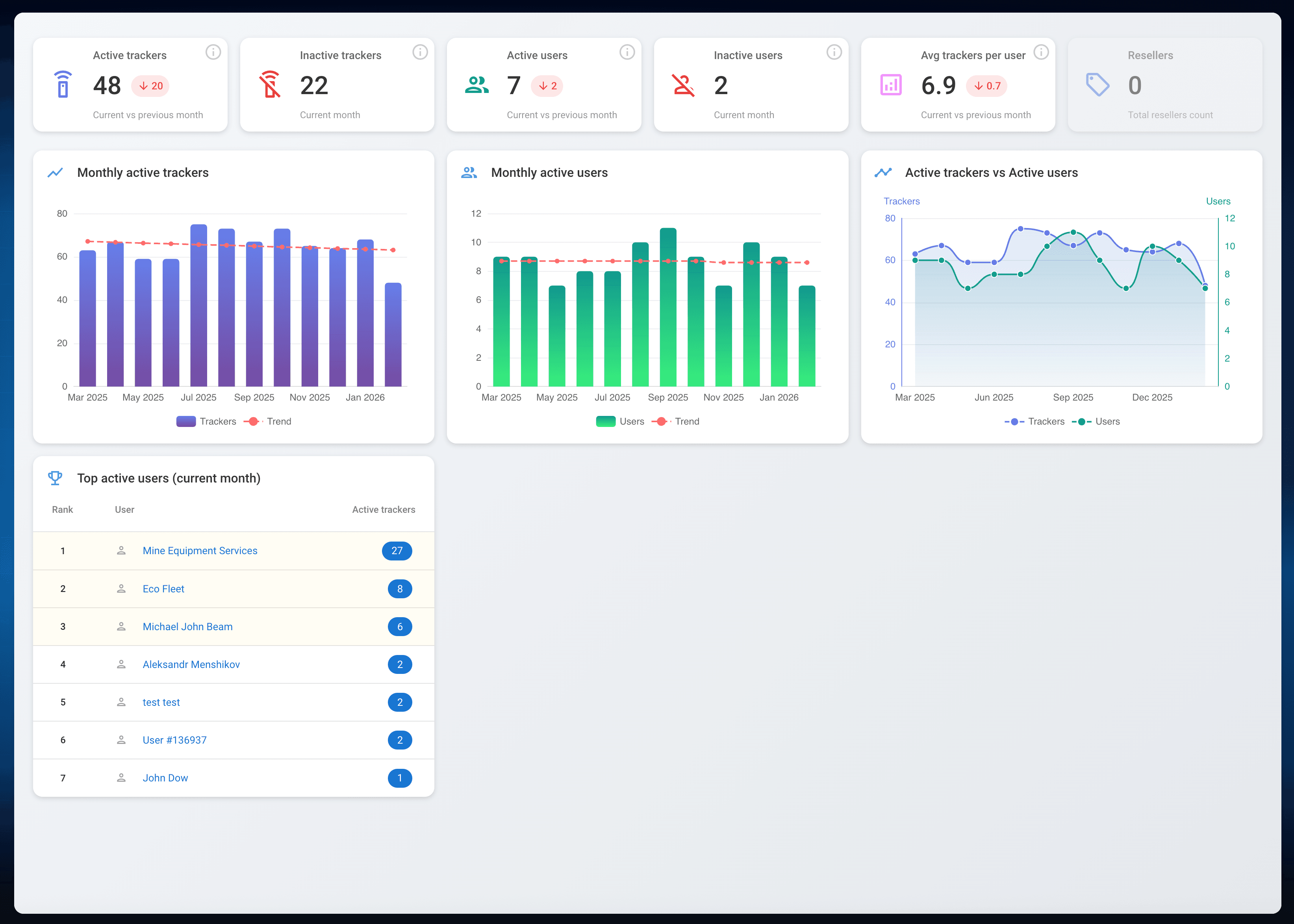
Among the most relevant metrics are active GPS trackers, active users, average trackers per user, monthly active trackers, and other operational indicators essential for managing a telematics business.
User management
This menu section of the Navixy Console acts as a CRM for telematics service providers, allowing them to manage their customer base by creating, updating, and maintaining user accounts and related data.
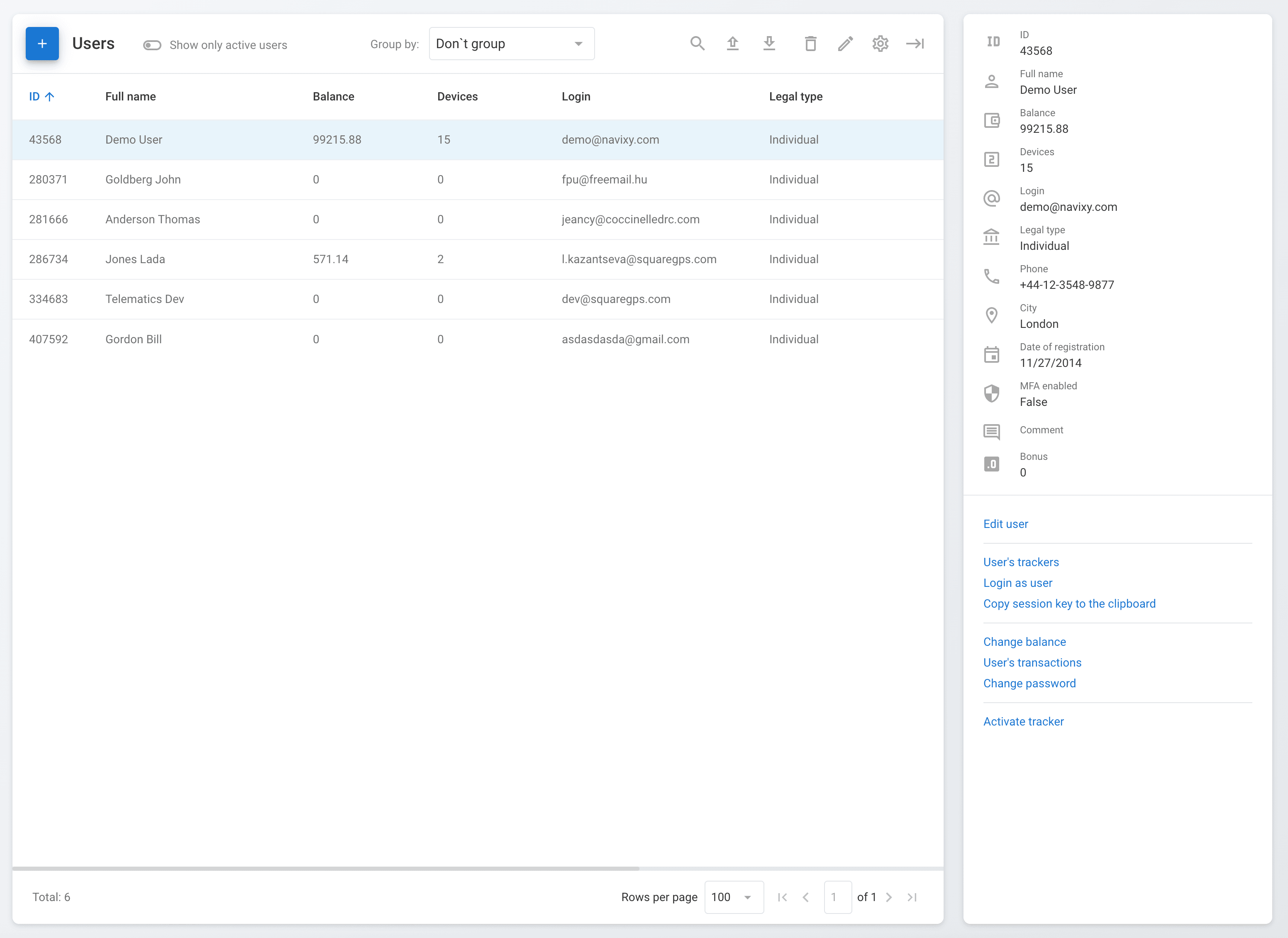
Alongside existing import/export, filtering, and grouping capabilities, we introduced several UX improvements. Users can now edit key information, including GPS tracker activation per each user, directly within a single view, without navigating across multiple sections. This significantly reduces friction in everyday administrative workflows.
GPS trackers management
The GPS trackers management menu section enables telematics service providers to perform all essential operations with connected hardware: activation, deactivation, suspension, cloning, editing device details, and initial troubleshooting via the terminal (Air Console).
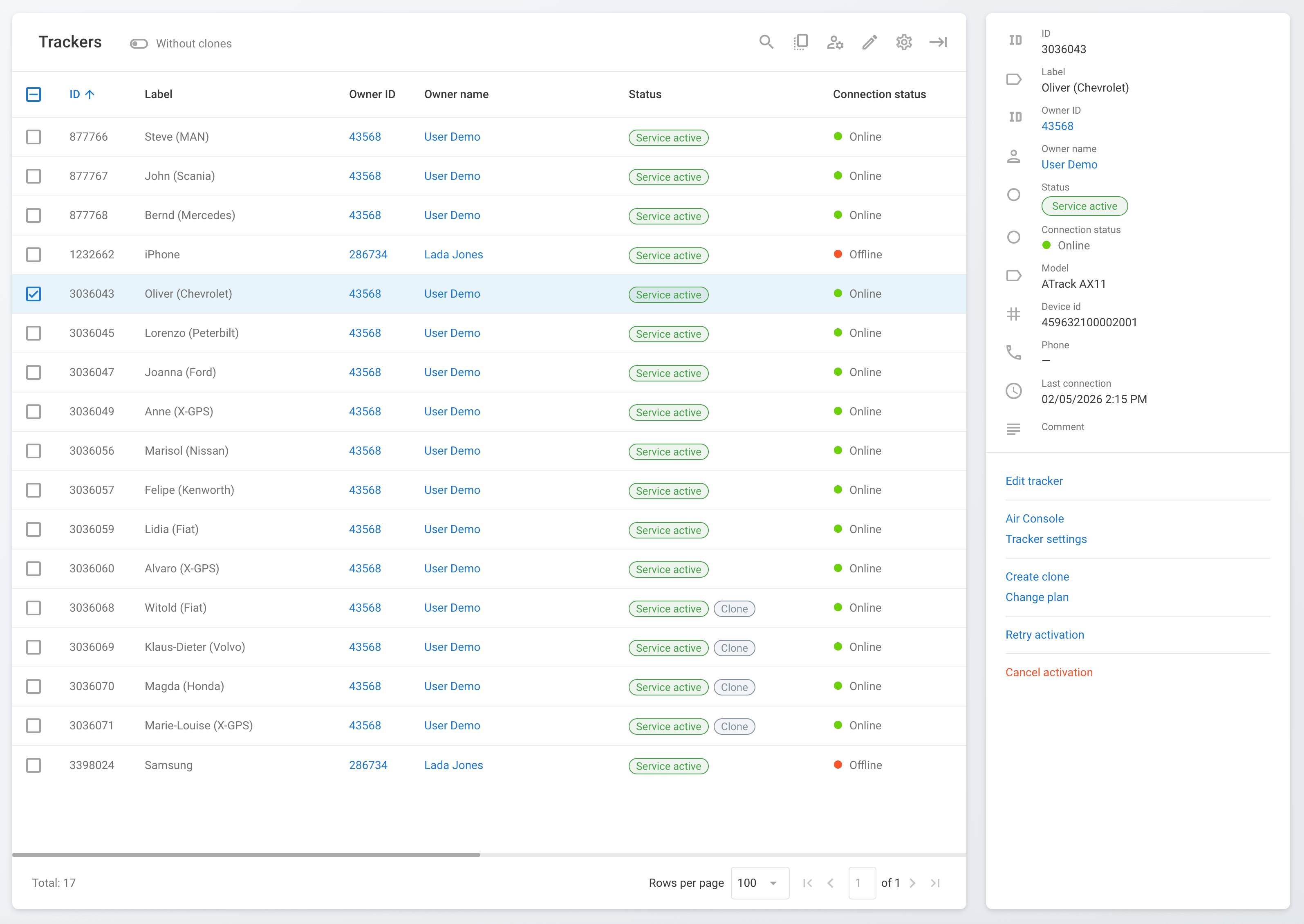
The updated interface allows operators to monitor real-time connection status and perform quick actions directly within the same screen, while still having access to detailed device information without additional navigation.
Telematics service personalization
The Settings menu section provides extensive capabilities for platform customization and configuration. Providers can tailor their telematics service by setting corporate color palettes for both the web platform and X-GPS Mobile application, configuring custom domains, branding, map preferences, email gateways, and two-factor authentication for enhanced security.
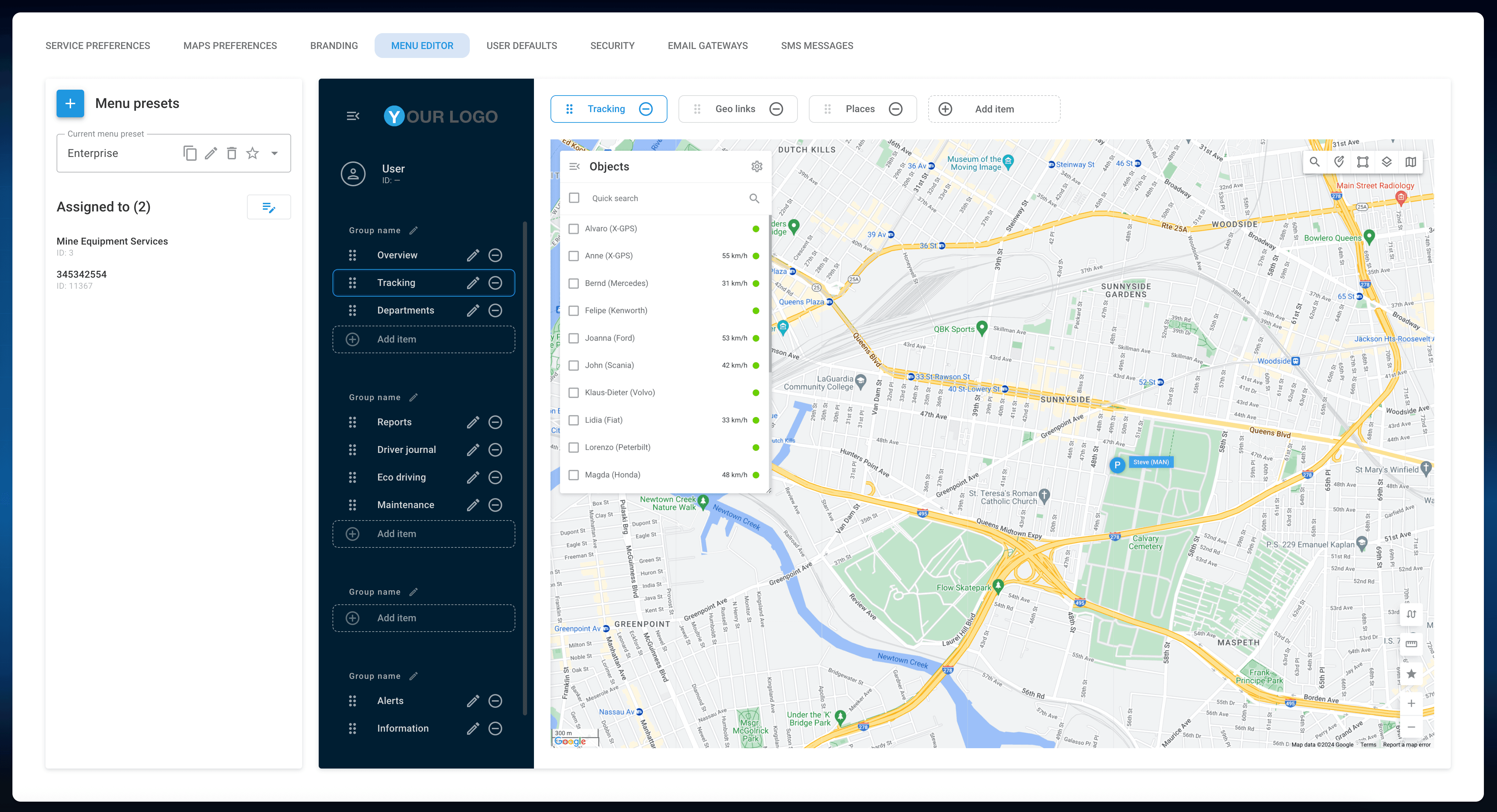
Additionally, integrators can personalize the platform menu by creating templates aligned with specific customer needs. This ensures that end organizations only see and use the functional areas relevant to them: whether it is real-time GPS tracking, fleet management tools, or a combination of both.
A new foundation for Navixy Console
This UI and UX update is not just a visual refresh. It is a foundational step that enables faster iteration, smoother workflows, and the introduction of new capabilities across the Navixy platform.
We will continue evolving Navixy Console with a focus on efficiency, scalability, and the real operational needs of telematics service providers and integrators.
If you are not yet familiar with the Navixy platform, take a moment to explore the updated Navixy Console and see how it can serve your telematics operations. Curious to learn more or get a guided tour? Contact us – we’re happy to help you get started.