Flow Inspector
See exactly what your devices see — before you leave the site.
Real-time telemetry validation for field technicians and support teams. Verify CAN bus data, sensor readings, and device configurations on the spot. No guesswork. No return visits.
Installation verification shouldn't be a guessing game
Complex telematics installations — CAN bus integrations, multi-sensor setups, dash cam and tracker combinations — often fail silently. You don't know if the data is flowing correctly until a customer calls with a problem. That means truck rolls, lost time, and frustrated customers.
Costly return visits
A single return visit can cost $200-500 in technician time, vehicle costs, and customer goodwill. Many issues only surface days after installation.
Configuration blind spots
OBD-II adapters, CAN bus extractors, and custom sensors each have unique data formats. Without real-time visibility, you're configuring blind.
Multi-device complexity
Dash cams, GPS trackers, temperature sensors, axle load monitors — each speaks a different language. Verifying they all work together is a challenge.
What is Flow Inspector?
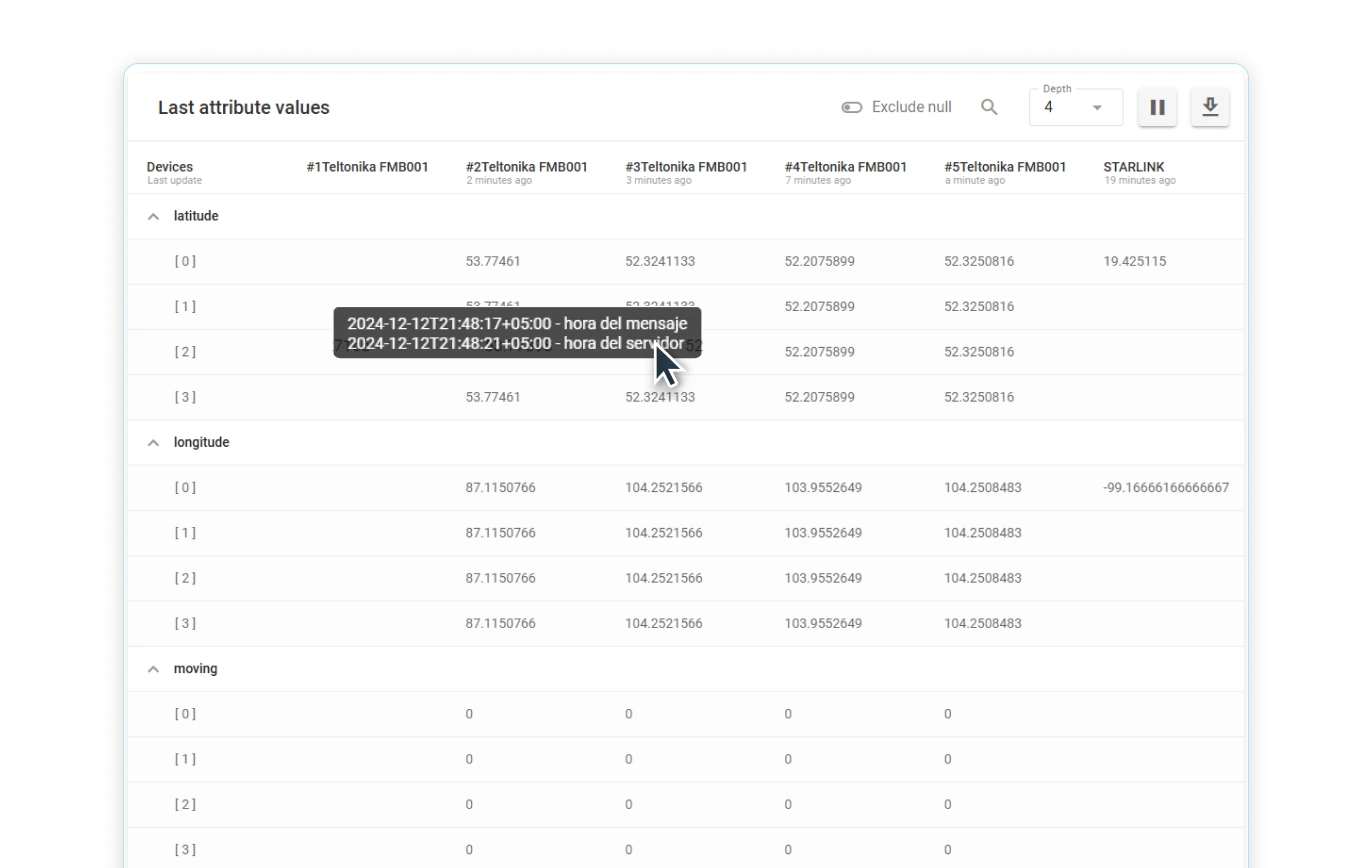
Flow Inspector is a real-time data stream analyzer built specifically for telematics professionals. It gives field technicians and technical support teams an X-ray view into device telemetry — showing exactly what data is being transmitted, how it's being interpreted, and whether the configuration is correct.
Whether you're installing a complex CAN bus integration in a fleet vehicle or troubleshooting a temperature sensor in a refrigerated trailer, Flow Inspector shows you the raw data stream alongside calculated values so you can verify the installation before leaving the site.
- No-code interface — works directly in your browser
- Real-time data streaming with sub-second latency
- Monitor up to 10 devices simultaneously
- Works with any device protocol Navixy supports
Powerful diagnostics, zero complexity
Flow Inspector puts advanced telemetry diagnostics in the hands of every technician.
Live Data Monitoring
Watch telemetry data flow in real time as it arrives from the device. Immediately see if signals are transmitting correctly.
Historical Analysis
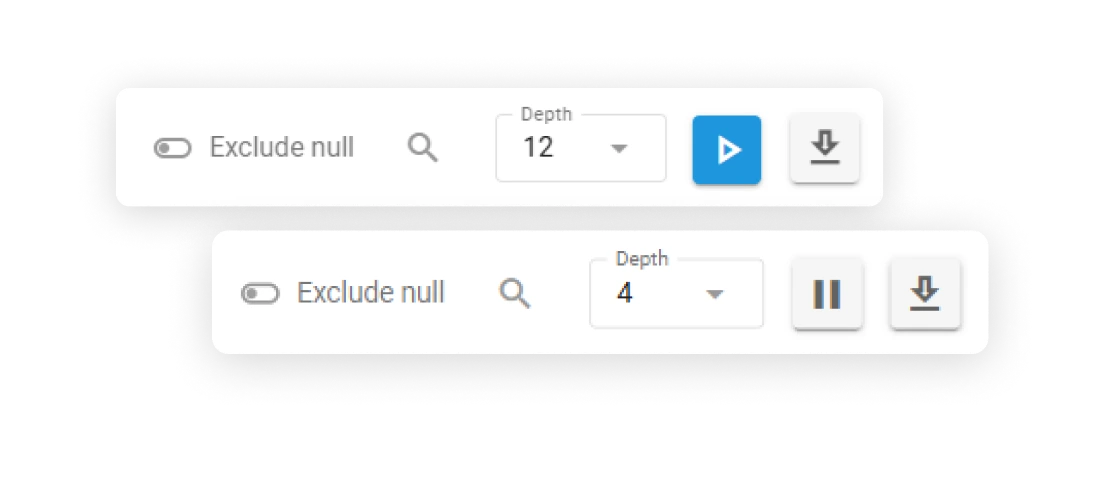
Pause the stream and review the last 12 values for any attribute. Spot patterns, detect anomalies, and understand data trends.
Attribute Filtering
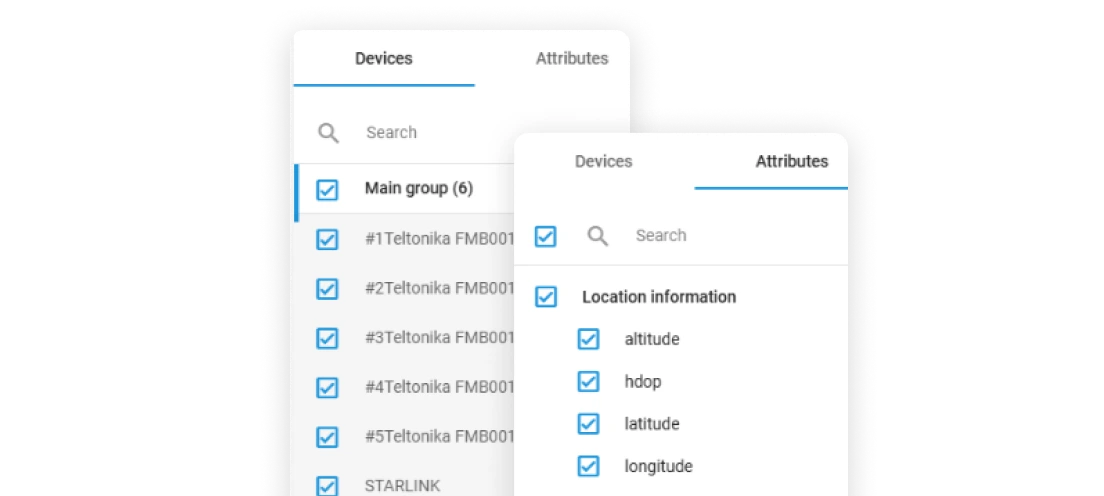
Focus on what matters. Filter by specific attributes, exclude null values, and zero in on the exact data points you need to verify.
Calculated Values
See both raw device data and calculated attributes from IoT Logic flows. Verify that transformations and formulas are working as expected.
Built for real-world installation challenges
Flow Inspector is designed for the complex scenarios field technicians face every day.
CAN Bus & OBD-II Integration
Challenge
CAN bus extractors and OBD-II adapters report dozens of parameters — engine RPM, fuel level, DTC codes. But is the data accurate? Is the wiring correct?
With Inspector
Open Inspector, select the device, filter for engine parameters. Watch real-time values as the vehicle runs. Compare expected ranges with actual readings.
Outcome
Confirm proper CAN bus connection before leaving the vehicle. Catch wiring issues, baud rate mismatches, or protocol errors on site.
Temperature Sensor Calibration
Challenge
Cold chain compliance requires precise temperature readings. Sensor calibration tables must be verified. But how do you know if -18°C is really -18°C?
With Inspector
View raw sensor values alongside calibrated temperatures in real time. Compare multiple zones. Check historical readings for stability.
Outcome
Validate calibration accuracy on site. Document readings for compliance. Prevent temperature excursion alerts from misconfigured sensors.
Multi-Device Setups (Tracker + Dash Cam)
Challenge
Modern installations combine GPS trackers with AI dash cams, BLE sensors, and driver ID readers. Each device needs to work independently AND together.
With Inspector
Monitor all devices simultaneously. Verify data correlation — does the dash cam's GPS match the tracker? Are driver ID events appearing in both systems?
Outcome
Complete validation of complex multi-device installations. Ensure event correlation and data integrity across the entire system.
Fuel Sensor Calibration
Challenge
Fuel level sensors require calibration tables to convert raw readings to liters. Incorrect calibration leads to phantom fuel theft alerts or missing consumption data.
With Inspector
View raw fuel sensor values in real time. Compare against physical measurements. Watch for value stability and detect sensor noise.
Outcome
Accurate fuel calibration verified on site. Eliminate false theft alerts. Ensure reliable consumption reporting from day one.
Measurable impact on your operations
Flow Inspector delivers concrete improvements to installation quality and technician efficiency.
50% Faster Setup
Real-time validation means technicians can verify configurations immediately, cutting average installation time in half.
80% Fewer Return Visits
Catch configuration issues on site instead of after the customer calls. Eliminate the most common causes of return visits.
First-Time-Right Installs
Document successful installations with data. Prove to customers that sensors are calibrated and data is flowing correctly.
Reduced Edge Case Risk
Test unusual configurations — custom CAN protocols, non-standard sensors — before leaving. Surface issues when you can still fix them.
From installation to validation in minutes
Flow Inspector integrates seamlessly into your existing installation workflow.
Select Device
Choose the device you're installing from your Navixy account. Flow Inspector supports any connected device.
Filter Attributes
Select the specific attributes you need to verify — GPS, CAN bus parameters, sensor readings, or custom data.
Monitor Live Data
Watch real-time telemetry as it streams from the device. Verify values are within expected ranges.
Validate & Document
Confirm the installation is complete. Export data if needed for customer documentation or compliance.
Frequently Asked Questions
Ready to see Flow Inspector in action?
Schedule a demo to see how Flow Inspector can transform your installation and support workflows.
Step 1