Decoding CAN & OBD-II with Navixy IoT Logic: a bitwise operations guide

AuthorDenis Demianikov
Key takeaways:
- Navixy IoT Logic now supports bitwise and byte-level operations for direct decoding of CAN bus and OBD-II data.
- JEXL expressions let you create new attributes or build conditional IF/THEN rules based on specific bits or flags.
- Navixy IoT Logic now supports bitwise and byte-level operations for direct decoding of CAN bus and OBD-II data.
- JEXL expressions let you create new attributes or build conditional IF/THEN rules based on specific bits or flags.
- Bitwise and shift operators enable precise extraction and combination of multi-byte values.
- Common use cases include vehicle diagnostics, CAN data decoding, and custom sensor protocols.
- This upgrade delivers real-time insights without coding, reducing overhead and boosting competitive advantage.
If you've ever stared at a CAN bus message wondering how to extract that transmission state buried in bit 3, or needed to decode OBD-II fault codes from raw hexadecimal data, you know the pain. Until now, processing this binary-encoded telematics data meant writing custom parsers, maintaining external scripts, or settling for incomplete data interpretation.
That changes today.
Navixy IoT Logic just got a major upgrade with comprehensive bitwise and byte-level operations, transforming how telematics professionals handle complex vehicle data. Let's explore what this means for your telematics operations and why it's a game-changer for TSPs working with sophisticated fleet data.
Using JEXL Expressions in IoT Logic Nodes
Navixy IoT Logic expressions (based on Apache JEXL, Java Expression Language) can be used in two types of flow nodes: Initiate Attribute nodes and Logic nodes. The Initiate Attribute node allows you to create or transform data attributes using custom expressions (e.g. computing new values from raw device data). The Logic node evaluates a boolean expression to split the data flow based on conditions (IF/THEN logic).
In other words, you use expressions to either calculate new values or to define conditional rules in the IoT Logic workflow. For instance, you might compute a new parameter by combining bits from incoming data, or set up a rule that triggers only when specific bit flags are present in the data.
Initiate attribute node: This node lets you derive new attributes by writing JEXL expressions that operate on incoming data fields. Here you can use bitwise math to interpret raw values. For example, if a device sends a combined status byte, you could create separate attributes for each status bit using expressions (see examples below).
Logic node: This node introduces if-then branching based on a boolean expression. All logic node expressions must evaluate to true or false. Bit operations are often used here to check flags within a bit mask – for example, you can route data down the “True” path if a certain bit is set in a status value. This allows condition-based alerts and actions (like triggering an alarm if an engine fault bit is 1) to be configured in a low-code manner. The Logic node essentially implements server-side IF/ELSE logic: if a binary condition in the data is met, then do X, else do Y.
Essential bitwise operators for Telematics Data Processing
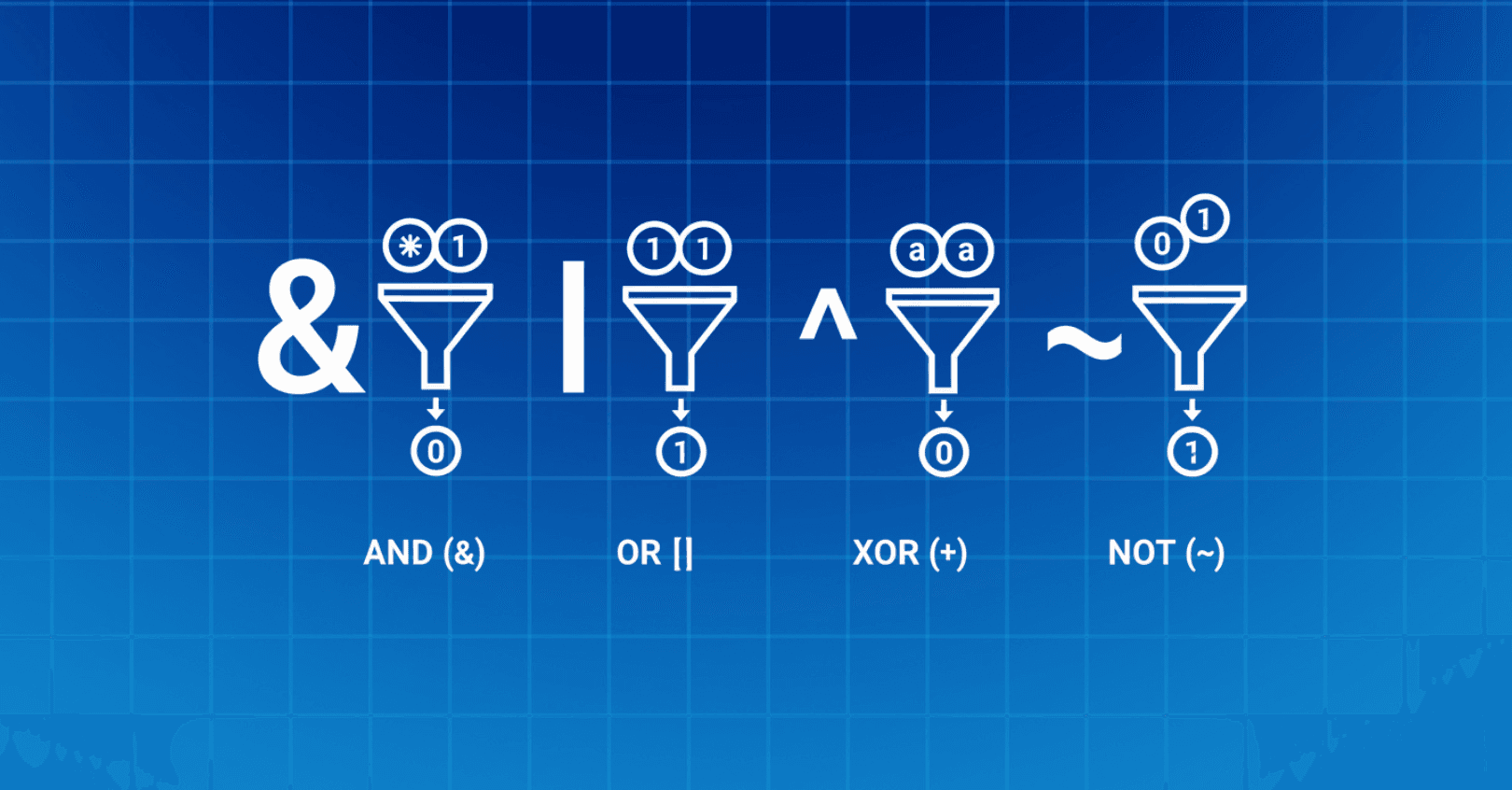
Navixy’s expression language supports the standard set of bitwise operators provided by JEXL. These operate at the binary bit level of integer values. You can use them in expressions to manipulate bits within numeric data (e.g. masking or toggling specific bits). The supported bitwise operators include:
- Bitwise AND (&) – Produces a 1 in each bit position where both operands have a 1. Use this to mask out bits (only keep bits that meet a condition).
Example:
33 & 4 evaluates to 0 because in binary 33 is 0010 0001 and 4 is 0000 0100; no bit positions overlap with 1, so result is 0000 0000. In IoT logic, io_status & 0x08 would isolate bit 3 of the io_status attribute (since 0x08 in binary is 0000 1000). If that expression is non-zero, it means that specific bit was 1.
- Bitwise OR (|) – Produces a 1 in each bit position where either operand has a 1. Use this to combine bits.
Example:
33 | 4 yields 37 because 0010 0001 | 0000 0100 = 0010 0101 (binary for 37). This could merge flags from two values, though in telematics you’ll often OR a value with a mask to set a certain bit to 1.
- Bitwise XOR (^) – Produces a 1 in each bit position where exactly one operand has a 1 (exclusive OR).
Example:
33 ^ 4 yields 37 as well (0010 0001 ^ 0000 0100 = 0010 0101) because the bit that was set in 4 gets toggled on in 33, resulting in 37. (XOR is useful for toggling bits (flipping 0 ↔ 1) or checking difference in bit patterns.
- Bitwise NOT (~) – Complement operator that inverts every bit of the operand (turns 0 to 1 and 1 to 0).
Example:
~ 33 results in -34 in a 32-bit system. This is because 33 (0010 0001 in 8-bit for illustration) becomes 1101 1110 which represents -34 in two’s complement form. In practice, ~x can be used to invert a mask (e.g. x & ~0x0F would clear the lower 4 bits of x).
These operators allow fine-grained control over binary data. For instance, if a device sends a single integer where each bit represents a different sensor state (a bit mask), you can use & to test specific bits or extract subsets of bits. Navixy’s platform explicitly anticipates this use-case, as the ability to apply bit masking is a part of its data enhancement toolkit.
Bit shifting: Working with multi-byte vehicle data
In addition to basic bitwise logic, you can shift bits left or right in JEXL. Bit shifts are crucial for combining or slicing multi-byte values. The supported shift operators are:
- Left shift (<<) – Moves all bits of the left-hand operand to the left by the number of positions specified by the right-hand operand. Shifting left by n bits is equivalent to multiplying by 2^n (assuming no overflow).
Example:
1 << 2 gives 4 (binary 0001 becomes 0100). In IoT Logic, if you have a high-byte and want to form a 16-bit value, you might do high_byte << 8 (shift it to the higher 8-bit positions).
- Right shift (>>) – Moves bits to the right, preserving the sign (this is an arithmetic right shift). The leftmost bit (sign bit) is replicated to fill in the new leftmost positions for signed numbers.
Example: 4 >> 2 yields 1 (0100 >> 2 = 0001). If the value was negative, >> would keep it negative by extending the 1s. Right shifts are useful for extracting lower-order bits by pushing unwanted bits out to the right. For example, to drop the lowest 3 bits of a value (keeping the rest), you could do value >> 3.
- Unsigned right shift (>>>) – Moves bits to the right with zero-fill (a logical shift). This means it does not preserve the sign bit; instead, it always inserts 0s on the left. The result is always a non-negative integer, effectively treating the number as unsigned for this operation. Unsigned right shift is useful when working with raw binary data where you don’t want to sign an extension. In many telematics scenarios, you’ll likely use the normal >> for bit extraction, but >>> can be relevant if dealing with 32-bit values where the distinction matters (e.g., processing the full 32-bit range as unsigned).
Using shifts in combination with bit masks lets you target specific bytes or bits in a number.
Example: Say you have a 16-bit value and you need the high 8 bits and low 8 bits separately: you can obtain the high byte with (value>> 8) & 0xFF and the low byte with value & 0xFF. Here, >> 8 shifts the high byte into the lowest byte position, and 0xFF (255 in decimal) is a mask to isolate 8 bits.
In JEXL, you can write numeric literals in hexadecimal (prefix with 0x) for convenience when defining such masks. For example, 0xFF is the mask for 8 bits, 0xF for 4 bits, etc.
Combining and extracting bytes from complex payloads
Many IoT and CAN bus parameters span multiple bytes or pack several fields into one number. Navixy’s IoT Logic allows you to handle these with bit and shift operations, essentially treating bytes within larger integers. Here are some common techniques for byte-wise manipulation:
- Combining multiple bytes. If a device provides two or more separate byte values that form a single measurement, you can combine them using shifts and ORs. For example, suppose a CAN message gives engine_rpm_high and engine_rpm_low (each 1 byte, representing a 16-bit RPM value). You can reconstruct the full RPM with an expression for a new attribute “engine_rpm”:
(engine_rpm_high << 8) | engine_rpm_low
This shifts the high byte into the upper 8 bits and merges it with the low byte via bitwise OR. The result engine_rpm is a new 16-bit integer attribute. Similarly, you could combine 4 one-byte values into a 32-bit integer by shifting by 24, 16, 8, and 0 bits and OR’ing them together. This is useful for assembling IDs or composite sensor readings that come split into bytes.
Extracting bytes from a word. Conversely, you might get a single 32-bit value from a device but need to extract specific bytes (e.g. status codes or individual sensor bytes within it). Using masks and shifts:
Lowest byte: value & 0xFF gives the lowest 8 bits.
Next byte: (value >> 8) & 0xFF gives bits 8-15.
And so on: (value >> 16) & 0xFF for bits 16-23, (value >> 24) & 0xFF for bits 24-31.
Each time we right-shift the desired byte into the lowest 8-bit position, then mask. This way, you can break down a multi-byte field into separate components if needed for analysis or reporting.
Isolating and interpreting bit fields. Suppose within a byte, different bits or groups of bits carry different meanings (a common scenario with CAN bus status bytes). For example, imagine a single byte from an OBD-II message where: bit0 = MIL (engine warning light) on/off, bits1-3 = fuel system status (0–7), bit4 = some flag, etc. Using IoT Logic, you can isolate these:
mil_on = (status_byte & 0x1) == 1 – this checks the least significant bit. If equal to 1, the MIL indicator is on. Or using util extension: util:checkBit(status_byte, 0).
fuel_system_status = (status_byte >> 1) & 0x7 – this right shifts the byte down by 1 (so bit1 becomes the new LSB) and masks with 0x7 (0b111) to extract the next three bits as a number 0–7. Or using util extension: util:bits(status_byte, 1, 3).
flag = (status_byte & 0x10) != 0 – masks bit4 (0x10 is binary 00010000) and checks if it’s non-zero, resulting in a boolean true if that bit was 1. Or using util extension: util:checkBit(status_byte, 4).
By using these techniques, you can derive new attributes that represent meaningful states or values, instead of dealing with an opaque bitfield. Navixy’s IoT Logic essentially lets you create virtual sensors or calculated fields for any bit-level detail you need, all through expressions.
Using bit operations in conditional logic (IF/THEN rules)
One of the most powerful aspects of having bit and byte operations in IoT Logic is the ability to drive conditional workflows based on binary signals. In the Logic node, you write an expression that must return true/false – and bitwise expressions fit right in, as long as you compare them to produce a boolean result. Here are a few examples of using bit operations in conditions:
- Detecting a specific bit (flag). If a device sends an integer where each bit is a flag (e.g. an error code bitmask), you can trigger logic when a certain flag is active. For instance, imagine can_status is an integer whose bit 2 indicates engine overheating.
A Logic node condition could be:
(can_status & 0x4) != 0
or using util extension:
util:checkBit(can_status, 2)
This expression uses & 0x4 (mask 0100 binary) to isolate bit 2, and checks if the result is non-zero (meaning bit 2 was 1). If true, the workflow will follow the THEN branch – perhaps raising an alert or recording an engine-overheat event. If false, it follows the ELSE branch or simply does nothing if no ELSE path is configured. This is a classic bit-test condition.
- Multiple bit criteria. You can also check combinations of bits or multiple conditions. For example, suppose you want to ensure that both bit 0 and bit 1 are set in an io_flags byte (say, indicating both front and rear door sensors are active).
You could write:
(io_flags & 0x03) == 0x03
or using util extension:
util:bits(io_flags, 0, 1) == 0x03
Here 0x03 (binary 00000011) masks the lowest two bits and the expression compares the result to 0x03. It will be true only if both bits 0 and 1 were 1\. This kind of check yields a boolean suitable for the Logic node (true = both conditions met). Another example: using a bitwise OR in a condition – perhaps you want to trigger an action if any out of several bits is set. You could combine bit tests with logical OR (||), or simply mask and compare to zero. E.g. (errors & 0xF0) != 0 would check if _any_ of the upper 4 bits of errors is active (non-zero). This single condition effectively means “at least one of these error flags is present.” If that evaluates true, you might branch to send a diagnostic report.
- Edge cases – Bitwise in boolean context. Remember that in JEXL, a bitwise expression like A & B by itself results in a number, not a boolean. So in a Logic node, do not write just x & 0x10 alone – that would produce a numeric result (e.g. 16 or 0), which is not explicitly true/false. Always compare it to something (e.g. != 0 or == someMask) to get a boolean result. Similarly, if you use bit shifts, ensure the final outcome of the expression is a boolean. You can also wrap conditions in parentheses and combine with &&/|| as needed for complex logic.
Overall, using bitwise operations in conditions unlocks a powerful ability: you can create IF-THEN rules based on raw bit-level data coming from vehicles or sensors. Navixy’s documentation notes that JEXL can handle from basic arithmetic to complex logical expressions, and indeed the inclusion of bit masking logic means even low-level binary telemetry can drive high-level actions. Telematics service providers can set up rules like “If any tire-pressure sensor flag is low (from a bitfield) or if the emergency button bit is pressed, then send an alert” – all configured through an expression rather than writing a custom program.
Utility functions for formulas
In addition to bitwise operators, Navixy formulas also support a set of utility functions (util) that make it easier to work with numbers at the bit and byte level:
util:signed(Number n, int bytesAmount) [Long] – converts an unsigned number n of size bytesAmount bytes into a signed value. For example, util:signed(65535, 2) returns -1.
util:checkBit(Number n, int bitIndex) [Boolean] – checks whether the bit at position bitIndex in n is set. Returns true or false. For example, util:checkBit(4, 2) returns true.
util:bit(Number n, int bitIndex) [Integer] – returns the value of the bit at position bitIndex (either 1 or 0). For example, util:bit(4, 0) returns 0.
util:bits(Number n, int firstBit, int lastBitInclusive) [Long] – extracts a range of bits from firstBit to lastBitInclusive (inclusive). If lastBitInclusive is less than firstBit, the bits are read in reverse order. For example, util:bits(1321678, 0, 3) returns 14, while util:bits(1321678, 3, 0) returns 7.
util:bytes(Number n, int firstByte, int lastByteInclusive) [Long] – extracts a range of bytes fromfirstByte to lastByteInclusive (inclusive). If lastByteInclusive is less than firstByte, the bytes are read in reverse order. For example, util:bytes(1321678, 0, 1) returns 10958, and util:bytes(1321678, 1, 0) returns 52778.
These functions complement bitwise operators and are particularly useful for parsing custom device protocols or working with raw telemetry values.
Real-world context and use cases
Bit and byte operations in IoT Logic are especially valuable in advanced telematics and IoT scenarios, where devices output encoded data. Here are some contexts where you’ll apply these operations:
CAN bus data decoding. Modern GPS trackers with CAN bus interfaces often retrieve rich vehicle data (fuel level, engine RPM, door status, diagnostic codes, etc.). Many of these come as packed binary values. For example, a CAN message might contain several status flags in one byte or a 16-bit value where each bit signifies a different condition (seatbelt fastened, door open, ABS active, etc.). Using Navixy IoT Logic, you can decode such data on the fly. The official Navixy blog highlights that with built-in bitwise operations, integrators can “decode transmission states, detect error flags, or identify vehicle events encoded in binary signals” directly via expressions. This means you could take a raw can_status_word and, within your IoT Logic flow, split it into human-readable pieces (like seatbelt_fastened = true/false, gear_position = N, etc.) without external tools. These derived insights can then be fed to alerts, reports, or further processing in the platform.
OBD-II and vehicle diagnostics. OBD-II data often includes Diagnostic Trouble Codes (DTCs) and status bytes for various onboard tests. For instance, there’s a standard OBD-II PID that returns a bit field of completed/incomplete monitor tests for emissions. By applying bit masks, you could interpret which tests are done or which subsystems reported faults. Additionally, DTC codes themselves are encoded (the first byte contains a mix of bits for system and a numerical code). An advanced user could use shifts and masks to decode a DTC format if sending raw bytes. In practice, many devices parse DTCs for you, but IoT Logic gives you the flexibility to handle any custom or proprietary binary info from OBD devices.
Custom sensor protocols. Beyond vehicles, any IoT sensor that sends binary data (e.g., a pack of digital inputs in one number, or IoT devices that send a bit mask of active alarms) can be parsed with these operations. For example, if you have a temperature sensor that reports an 8-bit status where each bit corresponds to a threshold alarm, you can isolate which thresholds have been exceeded. This is crucial for telematics providers who integrate diverse hardware – IoT Logic acts as a normalization layer where you can interpret device-specific binary formats into unified, meaningful parameters.
Performance and without coding. All these bit/byte manipulations occur in Navixy’s server-side logic in real time, with no need to deploy custom code or firmware changes. The expressions are evaluated on incoming data streams as they arrive, and you can chain multiple operations. For example, you might compute a value from bits using an Initiate Attribute node, then immediately use that new value in a Logic node condition. This is done within milliseconds as data comes in, enabling responsive workflows (like instant alerts or data filtering) based on low-level signals. Navixy emphasizes that this approach requires “no complex coding” and is akin to writing formulas in a spreadsheet – making powerful data processing accessible to telematics engineers and analysts who may not be full-time programmers.
The bottom line: Enhanced data processing without the development overhead
With Navixy's enhanced IoT Logic, you now have direct access to the binary heartbeat of your fleet operations. The bitwise operators (&, |, ^, ~) and bit shifts (<<, >>, >>>) that once required specialized coding expertise are now part of your everyday toolkit. Whether you're decoding CAN bus frames, interpreting custom sensor protocols, or extracting diagnostic flags from raw vehicle data, it all happens within your existing platform workflow.
This isn't just about technical convenience – it's about competitive advantage. While others maintain complex external processing pipelines, you're building responsive, low-code data processing rules that turn binary signals into business intelligence in real-time. Engine diagnostics, sensor statuses, fault detection, all extracted from existing hardware without writing a single line of external software.
The telematics industry has evolved to where handling bytes and bits determines how much value you can extract from IoT data. Navixy's commitment to advanced binary operations ensures you're not just keeping up with that evolution – you're leading it.
Ready to take your telematics data processing to the next level? Contact Sales and see how Navixy’s IoT Logic can transform your IoT workflows.
On this page
- Using JEXL Expressions in IoT Logic Nodes
- Essential bitwise operators for Telematics Data Processing
- Bit shifting: Working with multi-byte vehicle data
- Combining and extracting bytes from complex payloads
- Using bit operations in conditional logic (IF/THEN rules)
- Utility functions for formulas
- Real-world context and use cases
- The bottom line: Enhanced data processing without the development overhead