Get quick answers from your Navixy data with the AI assistant

AuthorBenjamin Hayes
AI is rapidly changing how people interact with software. Across industries, teams are looking for ways to automate routine work, reduce friction, and get to the right information faster. More and more often, that means using AI not just as a writing or search tool, but as a practical layer between users and complex systems.
At the same time, expectations around software platforms are changing. Users no longer want to click through multiple menus, build reports manually, or search documentation just to answer an operational question. They want faster, simpler ways to work with data — and increasingly, they expect AI to help make that possible.
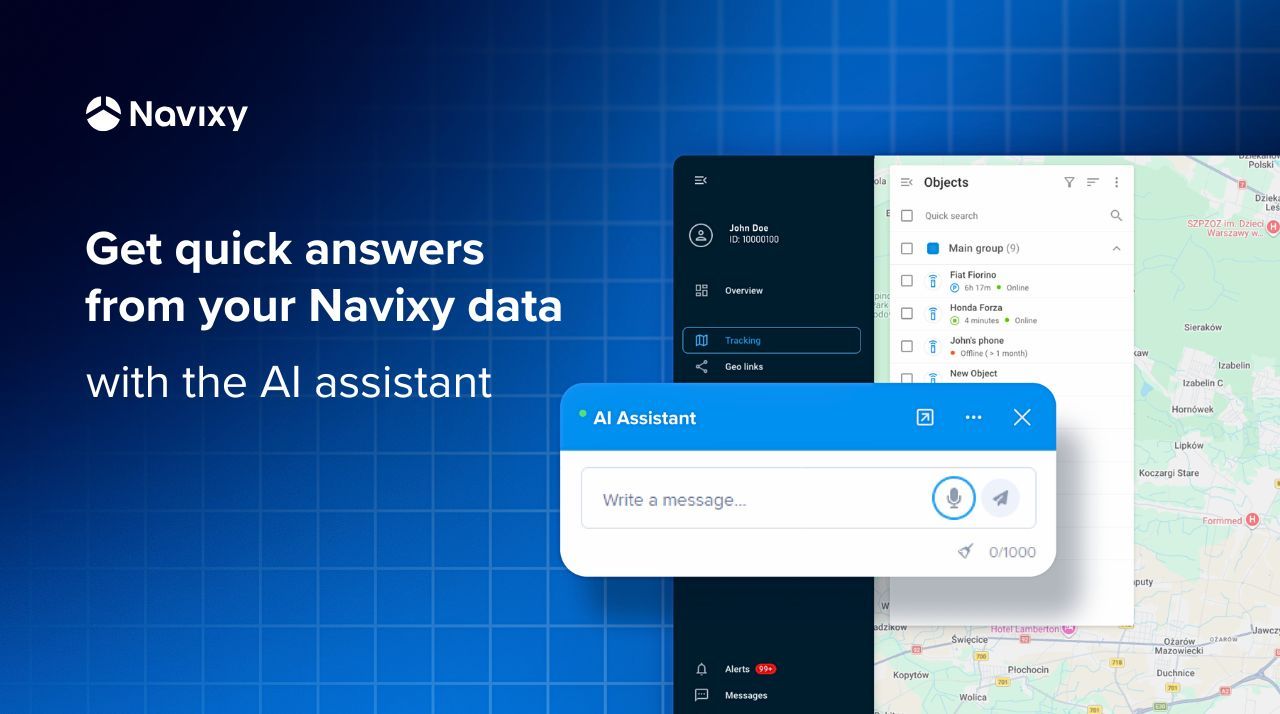
At Navixy, we see this shift clearly and are moving in the same direction. The Navixy AI Assistant, which already helps users navigate the website and find relevant information, can now also be used inside the platform to answer questions based on platform data.
This is an important step forward. Once embedded into the Navixy platform as a User application, the assistant can help users retrieve relevant data in a more natural, conversational way. Instead of manually digging through interface sections and reports, they can ask direct questions and get quick answers.
AI is becoming a new interface for working with software, and platforms that adapt to this shift early will be better positioned for the future.
With this new setup, Navixy takes a step in that direction — making it easier for users to move from data to answers inside the platform itself.
How it works
To enable this functionality, the assistant needs to be embedded into the platform as a User application.
This setup allows the assistant to access the platform context required to respond to user queries. In other words, once connected, it can do more than explain where something is — it can actually help retrieve insights from the platform.
If you have a screen recording showing the setup process, this is the perfect place to include it. A short walkthrough helps users quickly understand how the integration works and what is required to get started.
How to embed the assistant into the platform
The setup process is straightforward:
- Open Account settings and tap User applications.
- Add the link https://www.navixy.com/ai-assistant/ as a user application.
- Enter a name for the application and select API session key.
- Save the application.
- Verify that it is available in the platform interface.
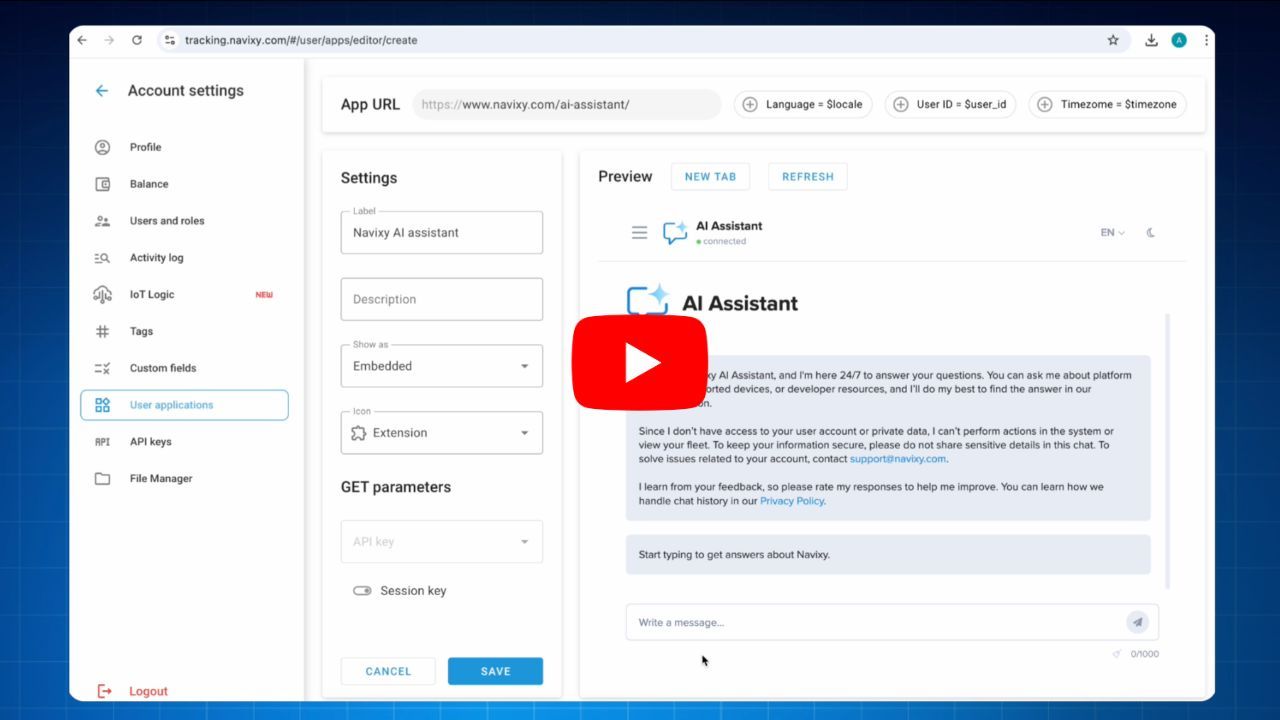
Once this is done, the assistant is ready to interact with platform data and respond to supported queries.
What kinds of questions can it answer?
Here are some of the requests:
- Show all units that have been offline for more than 30 minutes.
- Show all vehicles whose insurance is expiring soon.
- Which vehicles were used outside working hours today?
- Give me speeding data by vehicle for the last week.
- Which vehicles have been idle the longest over the past 7 days?
- Show the vehicles with the highest fuel consumption this month.
These examples show the practical value of the assistant. Instead of manually checking multiple sections of the platform, users can ask operational questions directly and get answers faster.
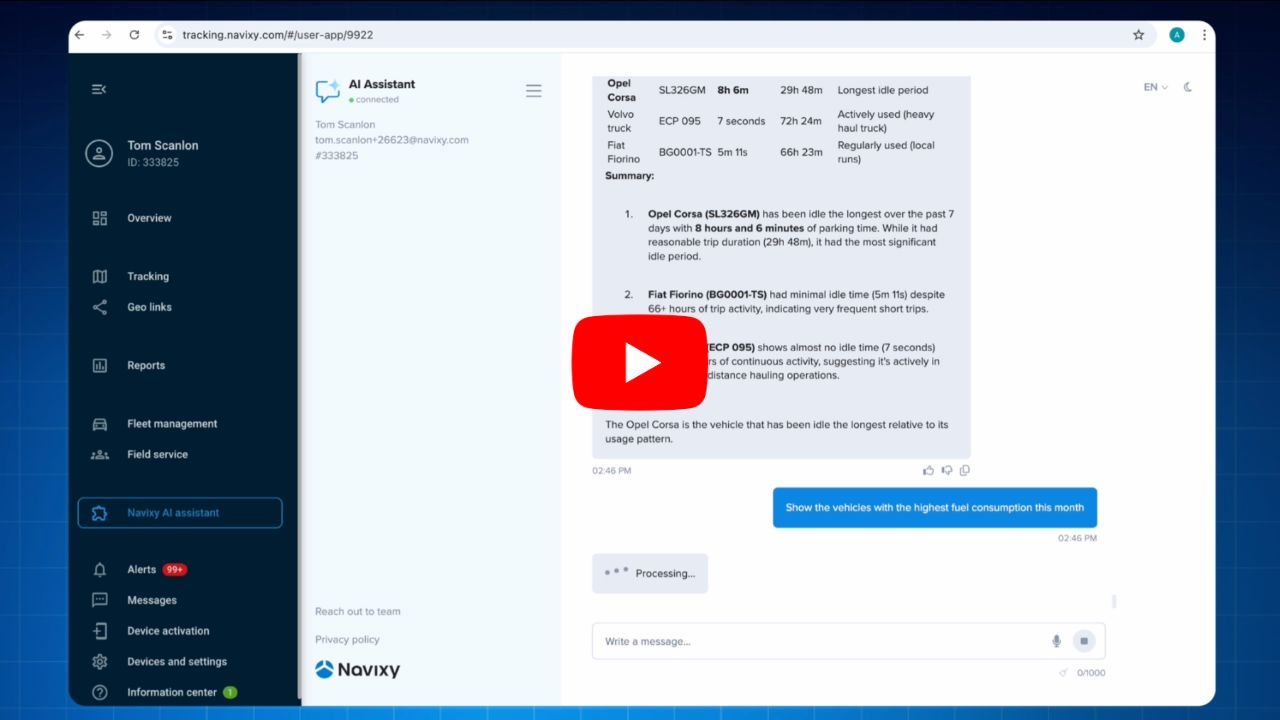
This can be especially useful for day-to-day monitoring, exception management, and quick analysis.
Faster access to platform data
For fleet and telematics teams, speed matters. Many everyday tasks involve finding a specific subset of vehicles, identifying unusual behavior, or reviewing recent trends. Even when the data is already available in the platform, retrieving it can still take time.
The AI Assistant helps reduce that friction.
By turning natural-language requests into actionable answers, it makes the platform easier to use and helps teams get to the information they need with fewer clicks and less manual effort.
This functionality can be especially valuable for:
- fleet managers who need fast operational visibility,
- dispatchers monitoring vehicle activity throughout the day,
- safety managers reviewing speeding and usage patterns,
- operations teams tracking exceptions and inefficiencies,
- new users who may not yet know where to find every data point in the platform.
In each of these cases, the assistant helps simplify access to information and makes everyday workflows more efficient.
A more natural way to work with data
What makes this update especially important is not just the technology itself, but the experience it creates.
Users do not have to think in terms of menus, reports, or navigation paths. They can simply ask what they need to know. That makes working with the platform feel more intuitive, especially for common questions that come up every day.
It is a step toward a more conversational, more accessible way to interact with Navixy.
And this is only the beginning of how AI assistance can evolve within the Navixy platform.
The examples above already show how useful the assistant can be for retrieving operational insights. As more scenarios are added over time, its role can expand even further — from helping users find information to helping them work with the platform more efficiently overall.
The Navixy AI Assistant is no longer just a website guide. When embedded as a User application, it becomes a practical tool for interacting with data inside the platform as well.
That opens up new possibilities for faster access to information, simpler workflows, and a more natural user experience.
To get started, embed the assistant as a User application and see how it can help turn platform data into quick, conversational answers or contact Navixy for more information.