> For the complete documentation index, see [llms.txt](https://navixy.com/docs/llms.txt). Markdown versions of documentation pages are available by appending `.md` to page URLs; this page is available as [Markdown](https://navixy.com/docs/qna/admin-panel/pricing-plans-conflicts.md).
# Pricing plans conflicts
Resolve device visibility and feature restrictions caused by conflicting pricing plan settings across user accounts
While pricing plans are essential for managing devices and users, they include several nuanced features. This article clarifies these details to help you optimize your configuration and improve the user experience.
{% hint style="info" %}
If a user account has assets under different plans, maps and options not included into all plans might become unavailable for that user. You can solve this issue by putting similar plans into groups, making it impossible for users to have devices under incompatible plans. This is the only way to allow flexible plan configuration without giving users the ability to bypass the set prices.
{% endhint %}
## Devices not displayed in UI
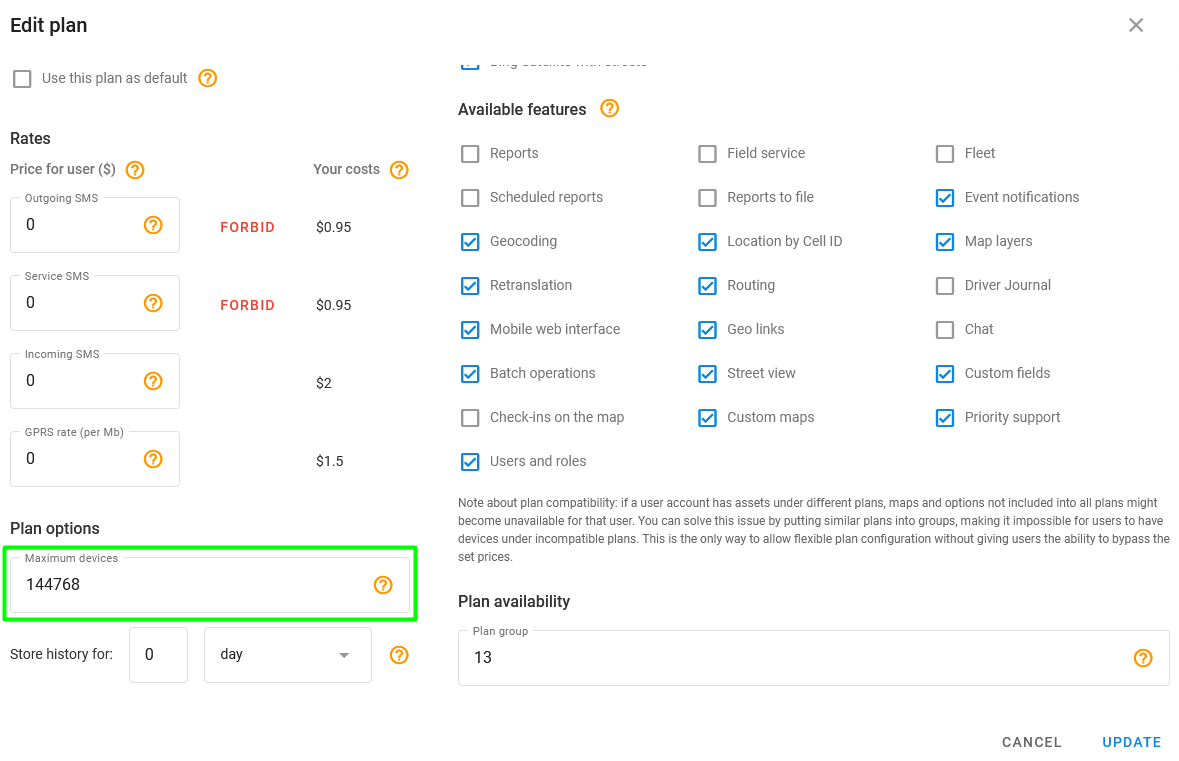
If the device count in a user's account doesn't match the Admin Panel, verify the pricing plan settings. Note that when an account contains devices on different plans, the system automatically applies the restrictions of the most limited plan to the entire account.
Maximum devices
If you have devices with pricing plans that allow 100 and devices with pricing plans that allow 30 devices, only 30 devices are shown in the user account.
## History limits for the plan
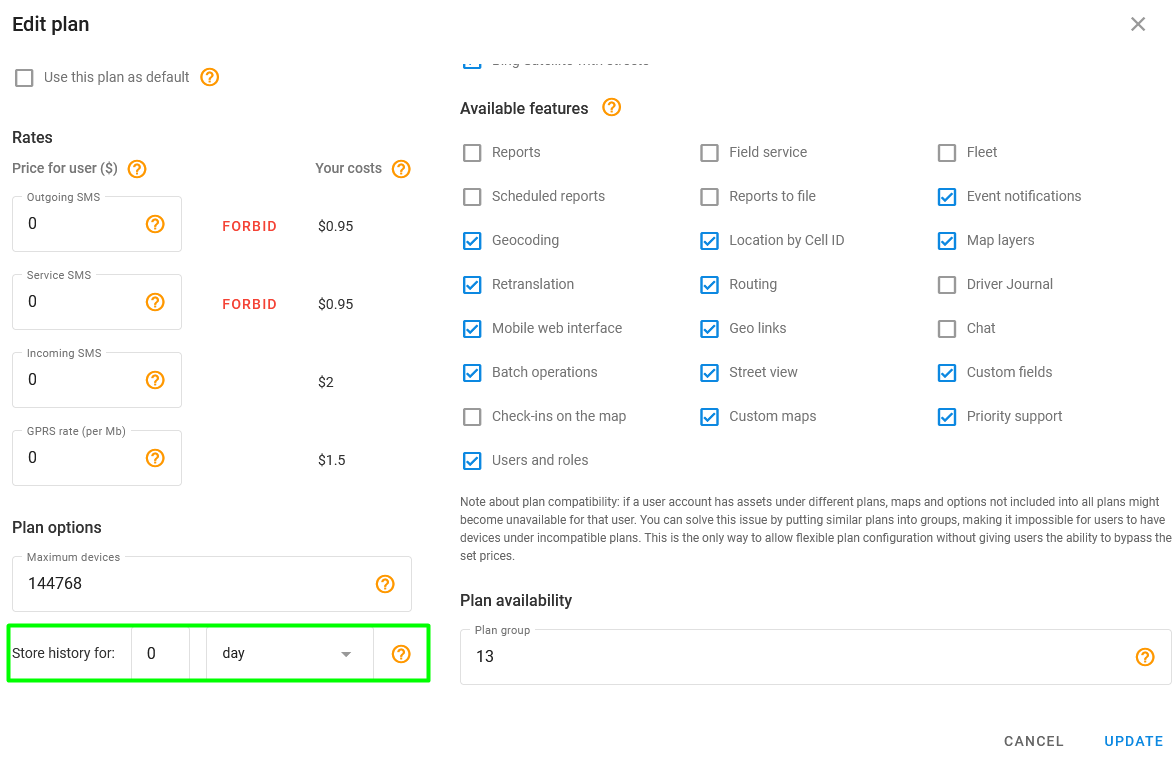
The **Store history for** option in plan settings determines how history works for the plan:
Store history
This option defines the time period during which tracking points will be stored. If you try to get tracks made earlier, you get the error below:
Tracking error
## User can't create or edit roles and sub-users
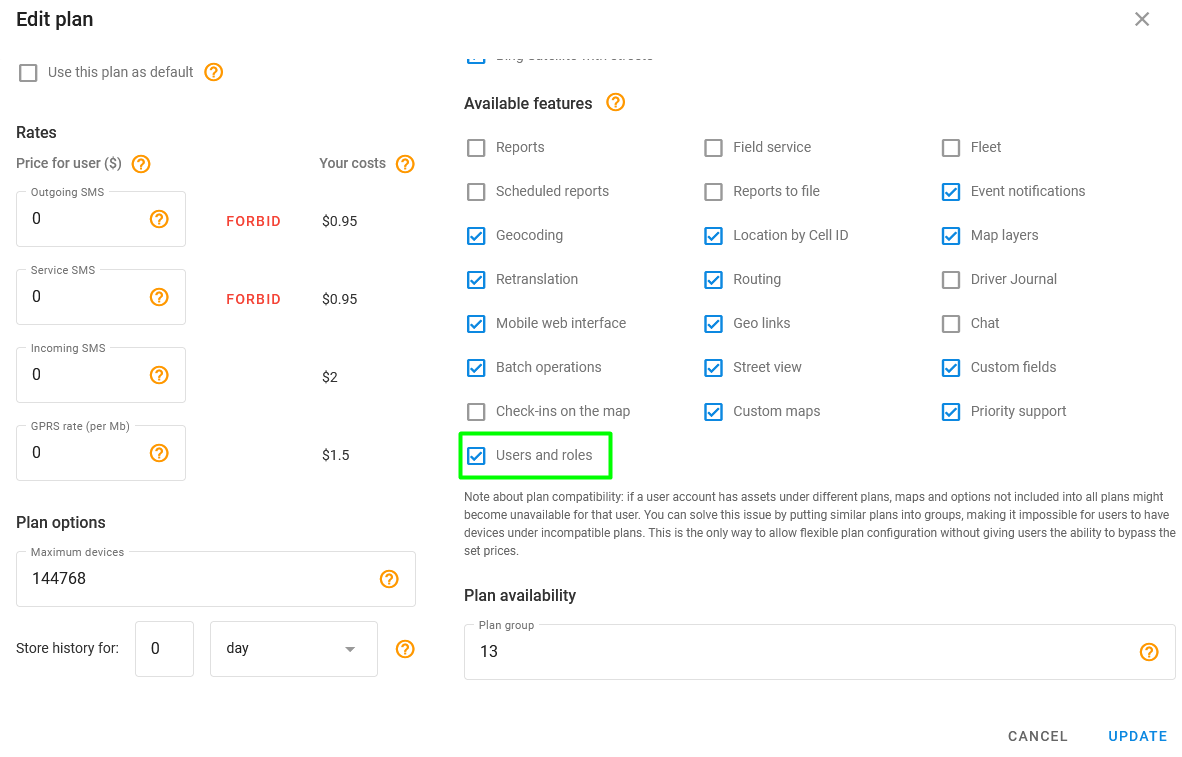
Users can create and manage sub-accounts and custom roles, provided their pricing plan supports it. If any device within an account is assigned a plan where the **Users and roles** feature is disabled, this functionality is restricted for the entire account.
Users and roles checkbox
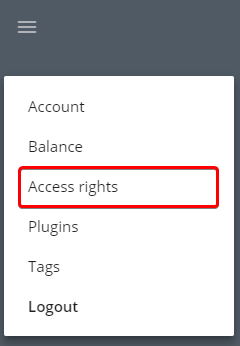
The corresponding section is also removed from the menu:
Access rights
Make sure to pay attention and triple-check all pricing plans parameters.
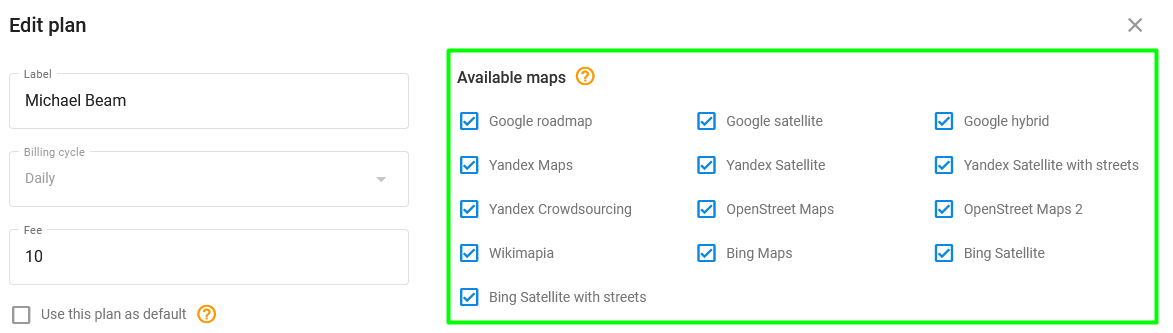
## User can't select maps
If some maps can't be selected in the user account, check which tariff plan is used. The unavailable maps might be disabled:
Map checkboxes
Select the available maps in the user's plan settings.
---
# Agent Instructions
This documentation is published with GitBook. GitBook is the documentation platform designed so that both humans and AI agents can read, navigate, and reason over technical content effectively. Learn more at gitbook.com.
## Querying This Documentation
If you need additional information that is not directly available in this page, you can query the documentation by asking a question.
Perform an HTTP GET request on the following URL with the `ask` and `goal` query parameters:
```
GET https://navixy.com/docs/qna/admin-panel/pricing-plans-conflicts.md?ask=&goal=
```
`ask` is the immediate question: it should be specific, self-contained, and written in natural language.
`goal` is what the user is ultimately trying to achieve, the reason they need the answer. Sharing it helps GitBook give you a better, more relevant answer. A goal is most helpful when it describes the outcome the user wants rather than restating the question. For example, with `ask=how do I create an API token`, a goal like `automate deployments from our CI pipeline` lets GitBook tailor the answer to that use case.
The response will contain a direct answer to the question and relevant excerpts and sources from the documentation.
Use this mechanism when the answer is not explicitly present in the current page, you need clarification or additional context, or you want to retrieve related documentation sections.